Bookings Made Effortless
Remove the friction of phone tag. Provide a calm, seamless bridge from physical scan to digital calendar sync. Let your clients book themselves instantly.
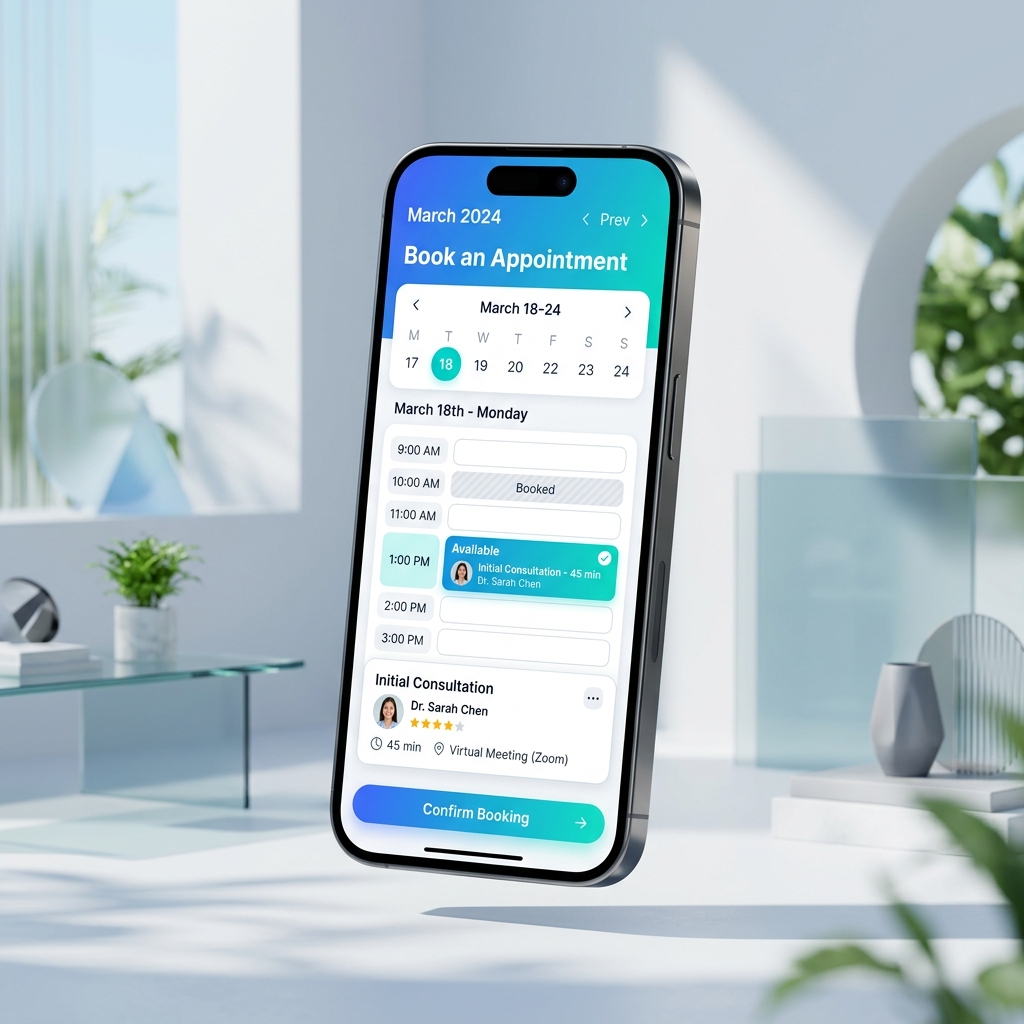
How Smart Booking Works
Sync physical intent with digital availability seamlessly.
1. Scan & View
Users scan a QR code on your business card, window, or desk to instantly view your real-time availability on their phone.
2. Select Slot
They select a convenient time slot and enter their details through a frictionless mobile-optimized form.
3. Auto Sync
The appointment is confirmed, synced directly to both of your calendars, and automated reminders are scheduled.
Designed for Professionals
Whether you're a consultant, salon owner, or healthcare provider, our tools adapt to your schedule.
- Two-way sync with Google Calendar, Outlook, and iCal.
- Automated email and SMS reminders to reduce no-shows.
- Custom buffer times and scheduling limits.
- Collect payments or deposits during the booking flow.
Who Is This For?
Ideal for service-based professionals who want to eliminate the administrative burden of scheduling.
Salons & Spas
Let clients book their next haircut or massage directly from your window display.
Consultants & Coaches
Share your QR code at networking events to schedule discovery calls instantly.
Real Estate Agents
Place QRs on property signs so buyers can schedule a viewing on the spot.
Fitness Trainers
Allow gym members to easily book personal training sessions.
Launch in 3 Steps
Connect your calendar and start accepting bookings today.
Connect Calendar
Link your Google Workspace or Outlook calendar to automatically read your availability.
Set Rules
Define your working hours, meeting durations, and minimum notice periods for new bookings.
Share QR
Download the QR code and add it to your business cards, flyers, or website.
Frequently Asked Questions
Will clients double-book me?
Can I accept payments upfront?
Does this replace Calendly?
Can clients reschedule or cancel?
Stop playing phone tag.
Fill your calendar automatically and focus on what you do best.
Create Your Booking QR